
Creating Templates in Notion: A Guide to Streamlining Your Workflows
1/30/20242 min read

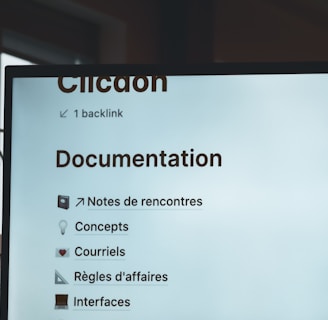
Notion is a powerful productivity tool that allows you to create custom templates to organize your tasks, projects, and ideas. Templates in Notion provide a structured framework that can be reused, saving you time and effort. In this article, we will explore how to create templates in Notion and provide you with insights into the various types of templates you can create.
Getting Started with Templates in Notion
To create a template in Notion, follow these simple steps:
Open Notion and navigate to the page where you want to create your template.
Click on the "Templates" button in the top-right corner of the page.
Choose the type of template you want to create from the available options, such as a to-do list, project tracker, meeting notes, or content calendar.
Customize the template by adding sections, columns, and properties to fit your specific needs.
Once you are satisfied with the template, click on the "Save as Template" button.
Now, whenever you want to use this template, simply create a new page and select it from the template gallery. Notion will create a copy of the template for you to work with.
Types of Templates You Can Create in Notion
Notion offers a wide range of templates that cater to different needs and workflows. Here are some popular types of templates you can create:
1. To-Do List Template
A to-do list template helps you stay organized and manage your tasks effectively. You can create sections for different projects or categories, add due dates, prioritize tasks, and track your progress.
2. Project Tracker Template
A project tracker template allows you to plan, monitor, and collaborate on projects. You can create sections for project milestones, tasks, deadlines, and assign responsibilities to team members.
3. Meeting Notes Template
A meeting notes template helps you capture important discussions, decisions, and action items during meetings. You can include sections for meeting agenda, attendees, key takeaways, and follow-up tasks.
4. Content Calendar Template
A content calendar template enables you to plan and organize your content creation process. You can create sections for different content types, publication dates, target audience, and track the progress of each piece of content.
5. Habit Tracker Template
A habit tracker template helps you develop and track your daily habits. You can create sections for habits you want to cultivate, set targets, and track your progress over time.
These are just a few examples of the templates you can create in Notion. The possibilities are endless, and you can customize each template to suit your unique needs and preferences.
With Notion's template feature, you can streamline your workflows, save time, and stay organized. Whether you are a student, professional, or entrepreneur, creating templates in Notion can greatly enhance your productivity. So, why not give it a try and unlock the full potential of this versatile tool?
Start creating your own templates in Notion today and experience the benefits of an organized and efficient workspace!